
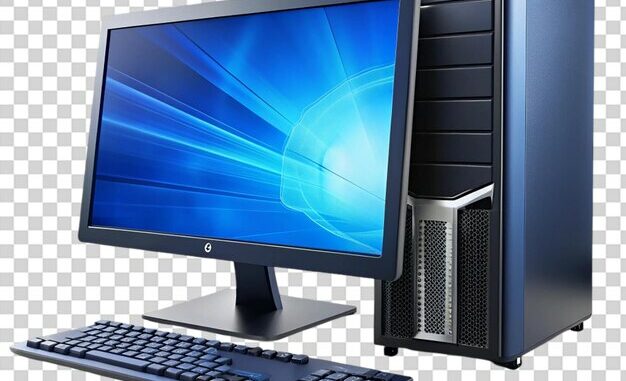
A computer is an electronic device that processes data according to instructions provided by software programs. It receives data as input, processes it with a central processing unit (CPU), stores data, and produces output (results) for a variety of purposes. There are various types of computers that are used today based on the need of user. Some examples include: Desktop: Desktops are mainly used for regular use and they have separate components mounted together like the monitor, keyboard, mouse, CPU etc. Desktops refer to the system’s primary location on a desk for ease of use.

Laptop: Laptops are a portable version of desktops, with all the components integrated into a single unit thus providing mobility to the system. They have built-in webcams, Bluetooth, and Wi-Fi, making them ideal for working while on the move. laptop
laptop
Servers: Servers are special types of computers that are used to manage network resources. They provide services to other systems and computers. Some of the primary tasks of servers include creating databases, hosting and providing support to other applications.
server
server
Tablets: Compared to laptops, tablets are even more portable. They are smaller than laptops but are larger than smartphones. They come with touchscreens which makes them perfect for browsing the web, consuming content and personal communications.
Other devices: Smartphones, game consoles, Smart TVs, and others are examples of other devices. 3
smartphones and game consoles
How does the Software Work with Hardware?
When you give input (e.g., typing a letter on a keyboard), the hardware (keyboard) sends this input to the software. The software then converts the input into a machine-readable language (binary) that the CPU can process. The output (e.g., the letter ‘A’) is then displayed on the screen as a result of this process.
Example Process:
You press the Shift key and the A key on your keyboard.
This is translated into machine code by the software, which instructs the central processing unit (CPU) to display the letter “A.” The monitor displays the letter “A” as the CPU processes the input. How Different Components Communicate?
Computer components Let’s go over a few important computer parts in detail, Component Description
Central Processing Unit (CPU) The CPU often referred to as the “brain” of the computer. It’s responsible for executing instructions, performing calculations, and handling tasks that ensure the system runs efficiently. The central processing unit (CPU) transforms input data into useful information. The Control Unit (CU) and Arithmetic Logic Unit (ALU) are its components. Motherboard The main circuit board connects and allows communication between all computer components.
Memory (RAM) Random Access Memory (RAM) stores data temporarily for quick access while the computer is running.
Hard-Disk Drives (HDDs) and Solid-State Drives (SSDs) are two types of storage that can store data permanently. Devices for Input Data is entered into the computer via devices. Scanner, keyboard, and mouse are examples. Devices that display or output the computer’s processing results are known as output devices. Examples: printer, speakers.
What is a Software?
Software is a set of instructions that tells the computer what to do when to do, it and how to do it. The paint we use in Microsoft, WhatsApp, and games, for instance, are all examples of software. Let’s say we want to know how to add two numbers and what 2 + 2 is. Then we must give the computer instructions,
Step-1: take 2 values.
Step-2: a store that 2 value
Step-3: add 2 value by using + operator
Step 4: Save the solution What is Hardware?
Hardware refers to the physical components of a computer that you can touch and see. It includes all the devices and machinery required to make a computer function. Data storage, information processing, and result display are all performed by hardware. Software couldn’t run on a platform without hardware. Hardware types: Central Processing Unit (CPU) – Executes instructions and performs calculations.
Memory (RAM) – Temporarily stores data that the CPU needs during operation.
Storage Devices (HDD/SSD): These devices keep data safe even after the computer is turned off. Input Devices – Allow users to interact with the computer (e.g., keyboard, mouse).
Output Devices – Display or produce results of the computer’s processing (e.g., monitors, printers).
Computers are categorized. Various factors, including size, processing power, functionality, and others, can be used to classify computers. An overview of the various kinds is provided below: 1. Computers Based on Size
Microcomputers: Individual use is the purpose of microcomputers. They are small, compact and very small. For example smartphones and desktops.
Minicomputers: They are used in businesses that are mid-sized and are more powerful than microcomputers. Servers are an example of minicomputers.
Mainframe computers: These are used by large organizations. They help in the processing of bulk data.
Supercomputers: These are extremely powerful computers that help in carrying out complex calculations. They aren’t meant for personal use and are often used for research purposes.
2. Computers Based on Processing Power
PCs, or personal computers, are the most prevalent type of computer and are made for personal use. PCs include desktops, laptops, and tablets.
Servers: Servers are designed to manage and distribute resources and data to multiple users or devices. They are often used in businesses or organizations to store and share data and run applications.
Mainframes: Mainframe computers are large, powerful machines that are designed to handle massive amounts of data and perform complex operations. Large businesses and government agencies frequently use them. Supercomputers: Supercomputers are powerful computers built to process data at breakneck speeds. They are frequently utilized in specialized applications and scientific research. Small computers that are integrated into other devices, such as automobiles, appliances, and medical equipment, are referred to as embedded systems. They are designed to perform specific functions and operate without human intervention.
Wearable computers: Wearable computers are small, portable devices that are worn on the body, such as smartwatches or fitness trackers. They are made to keep track of data and give you information when you need it.