
Think about the moment you turn on your phone or computer—apps open, files load, and everything just works. Behind this smooth experience is a powerful system quietly managing everything: the Operating System (OS).
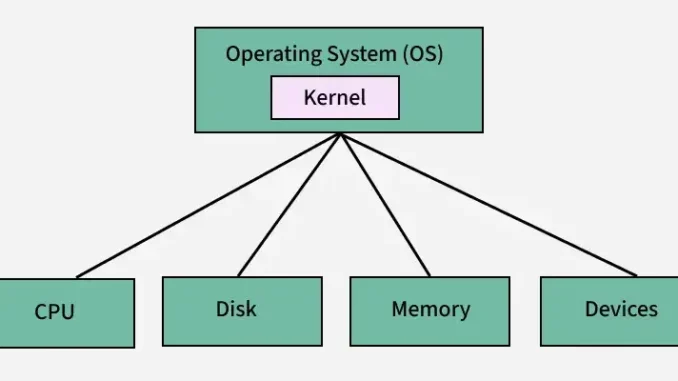
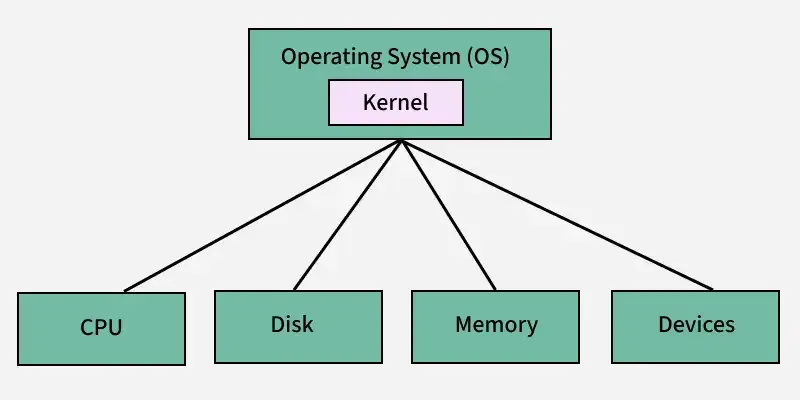
An Operating System acts like the brain of your device. It connects hardware and software, ensuring they communicate properly and function without chaos. Without an OS, your device would be nothing more than a collection of components with no coordination.
So, what exactly does an Operating System do, and why is it so important? Let’s break it down.
Table of Contents
ToggleUnderstanding the Operating System
An Operating System is system software that controls and manages all the resources of a computer or device. It acts as a bridge between the user, applications, and hardware.
From handling memory to controlling devices like keyboards, printers, and storage, the OS ensures everything runs efficiently. It also manages all programs on the system, making sure they work without interfering with one another.
Some well-known Operating Systems include Windows, macOS, Linux, Android, and iOS.
How Does an Operating System Work?
An OS works through a combination of software components and device drivers that help it communicate with hardware.
For example, when an application wants to save a file, it sends a request to the OS. The OS then uses the correct driver to translate that request into instructions the hardware understands.
In simple terms, the OS:
- Identifies and manages hardware components
- Controls memory and storage
- Handles networking and communication
- Ensures smooth interaction between software and hardware
It acts as a control center, making sure every part of the system works together seamlessly.
Types of Operating Systems
Operating Systems come in different forms, depending on how they are used:
1. Batch Operating System
Processes tasks in groups without user interaction. Ideal for repetitive jobs like payroll or data processing.
2. Time-Sharing (Multitasking) OS
Allows multiple users or applications to run simultaneously by sharing CPU time efficiently.
3. Distributed Operating System
Connects multiple computers and allows them to work as a single system, often used in large networks.
4. Network Operating System
Manages resources on a network, enabling file sharing, printer access, and user management.
5. Real-Time Operating System (RTOS)
Designed for tasks that require immediate responses, such as robotics, medical systems, and air traffic control.
6. Mobile Operating System
Built specifically for smartphones and tablets, combining computing features with mobility. Examples include Android and iOS.
Key Functions of an Operating System
An OS performs several critical tasks that keep your device running smoothly:
Memory Management
Allocates and manages system memory so multiple programs can run without conflict.
Processor Management
Decides which process gets CPU time and for how long, ensuring efficient multitasking.
Device Management
Controls connected devices using drivers and ensures proper communication between hardware and software.
File Management
Organizes files into directories, manages storage, and protects data from unauthorized access.
Input/Output Management
Handles communication between the system and external devices like keyboards, monitors, and printers.
User Interface
Provides a way for users to interact with the system, either through a graphical interface (GUI) or command-line interface (CLI).
Security
Protects data through authentication, access control, and system monitoring.
System Performance
Optimizes resource usage to ensure smooth and efficient operation.
Error Detection
Identifies and handles system errors to prevent crashes or damage.
Networking
Manages internet and network connections, ensuring secure and reliable data transfer.
Popular Operating Systems
Here are some of the most widely used Operating Systems today:
Windows
A highly popular OS for PCs, known for its wide software compatibility and user-friendly interface. However, it can be vulnerable to malware and may require regular updates.
macOS
Apple’s OS for Mac devices, offering strong security, smooth performance, and seamless hardware integration. It is premium-priced and has limited software compatibility compared to Windows.
Linux
An open-source and highly customizable OS used in servers, development, and advanced computing. It is secure and efficient but may require technical knowledge.
Android
The most widely used mobile OS, offering flexibility, customization, and access to a massive app ecosystem. However, it can suffer from fragmentation and security issues on some devices.
iOS
Apple’s mobile OS known for its smooth performance, security, and intuitive design. It offers a controlled ecosystem but limited customization.
Can a Computer Work Without an Operating System?
Technically, yes—but it would be extremely limited. Without an OS, a computer cannot run applications or perform most tasks. It would only be able to operate at a very basic level through firmware or BIOS.
How to Tell if Your Computer Has an OS
When you power on your device, if it loads into a graphical interface like Windows, macOS, or Android, it has an Operating System.
If not, you might see an error message such as “No bootable device found,” which indicates the absence of an OS.
Final Thoughts
An Operating System is the backbone of every digital device. It quietly manages everything—from running apps to handling hardware—so users can enjoy a smooth and seamless experience.
Whether you’re using a smartphone, laptop, or server, the OS is what makes everything possible. Understanding how it works gives you a deeper appreciation of the technology you use every day.